Updating BaseMap's navigation made features more accessible and provided an opportunity to demonstrate the value of user testing.
Identifying the user's pain points
› Poor menu design made navigation a challenge
› Poor menu design made navigation a challenge
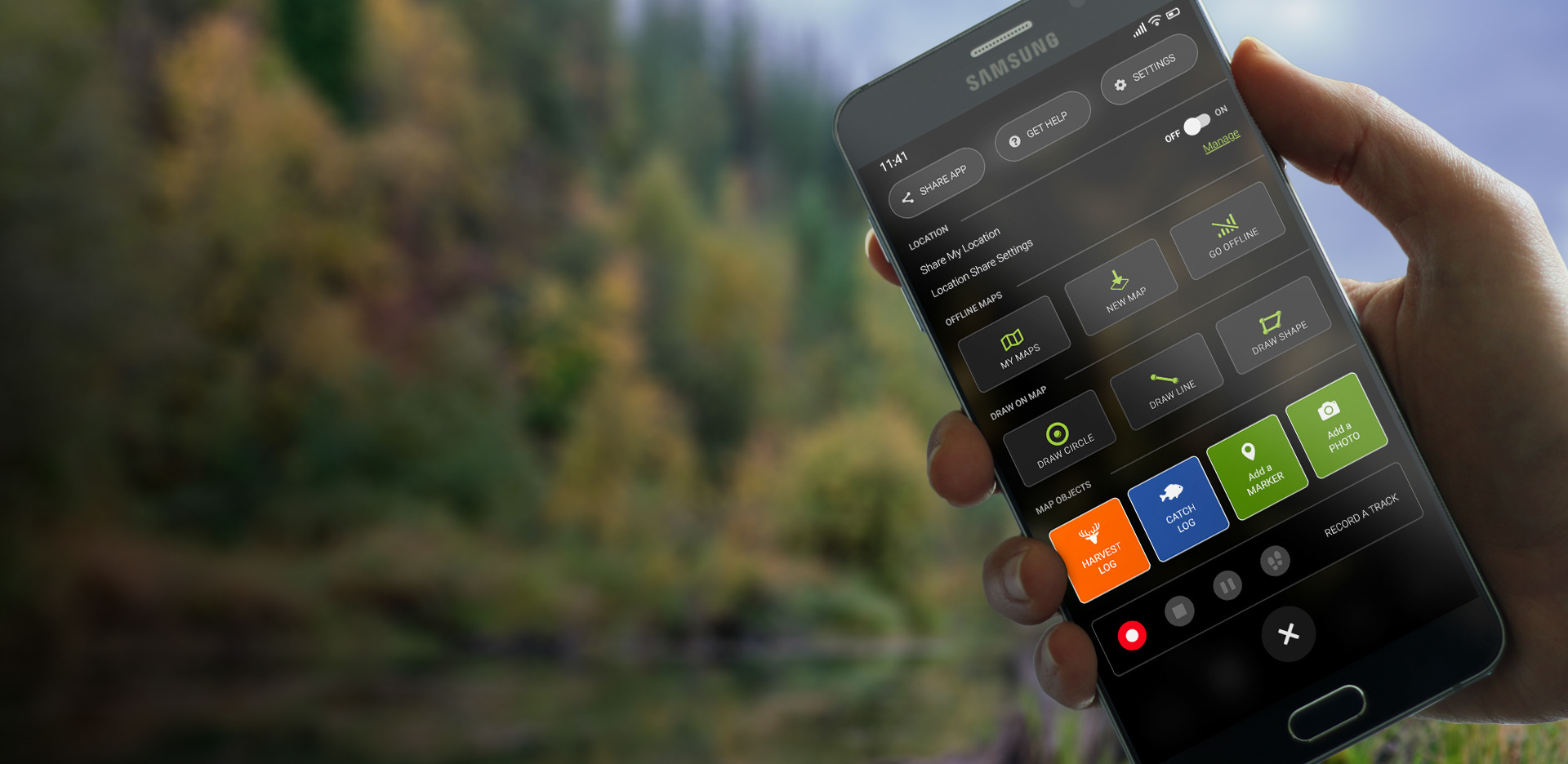
As a mapping application for outdoorsmen, BaseMap offers a many helpful tools and features for sportsmen. But accessing those features in an outdoor environment was often complicated by inclement weather, rough terrain, and the need to juggle multiple objects at once.
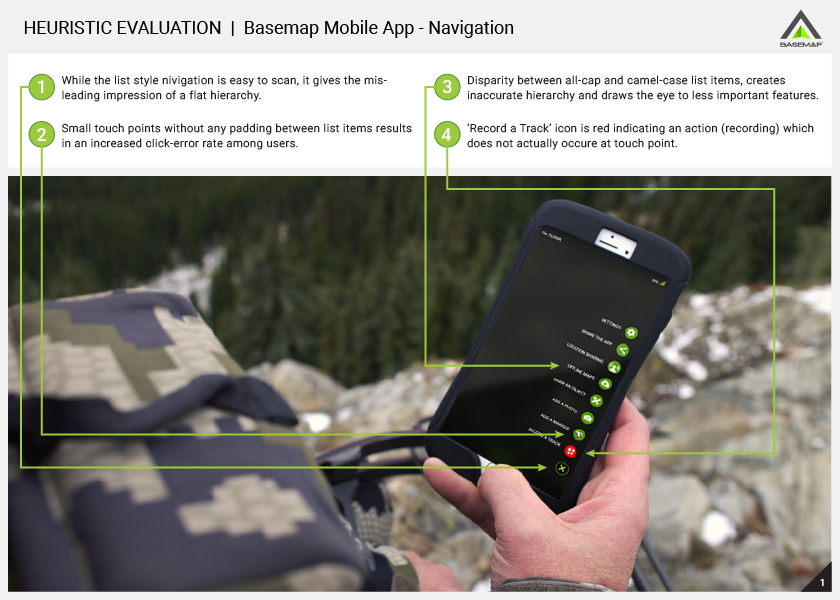
The app's list-style menu and small icon touch-points led to frustration when users tried to navigate the app menu in the field and reduced accessibility of new features. While the CEO was rather partial to the navigation, I encouraged him to explore alternative options.
The Business Opportunity
› Better navigation could elevate paid features
› Better navigation could elevate paid features
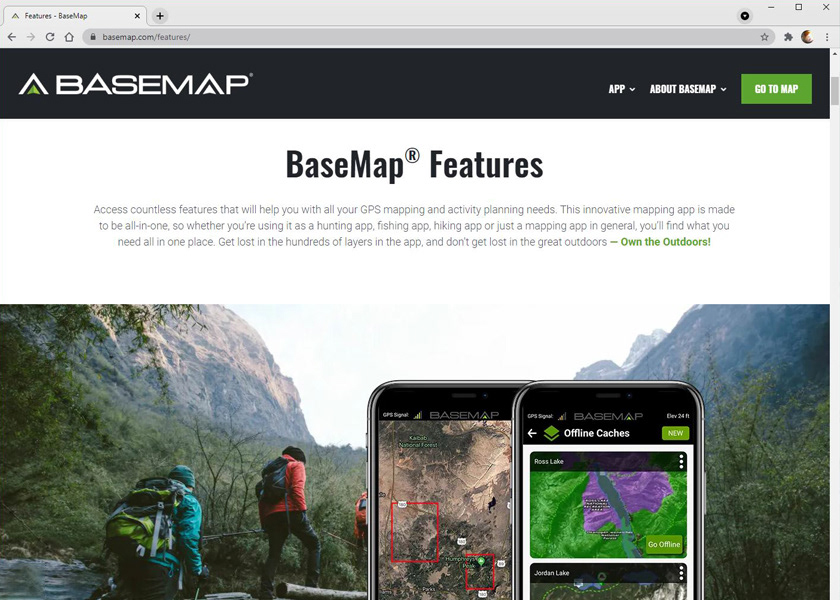
In the preceding year, BaseMap had released a number of new features, in addition to their very popular key features.
By optimizing the app menu, we had the duel opportunity to increase exposure to both new and favored features – including paid features – and eliminate a user pain point creating an all-around better user experience.
By optimizing the app menu, we had the duel opportunity to increase exposure to both new and favored features – including paid features – and eliminate a user pain point creating an all-around better user experience.
MY ROLE
As the sole UX Designer and Manager of User Testing, I worked with CEO, Jeffrey Balch, as well as Marketing and Engineering teams, to update the app's primary navigation.
Continuing the Research
By doing a deep dive into our target audience I was able to better understand the challenges our users faced, especially when opperating the app in an outdoor environment.
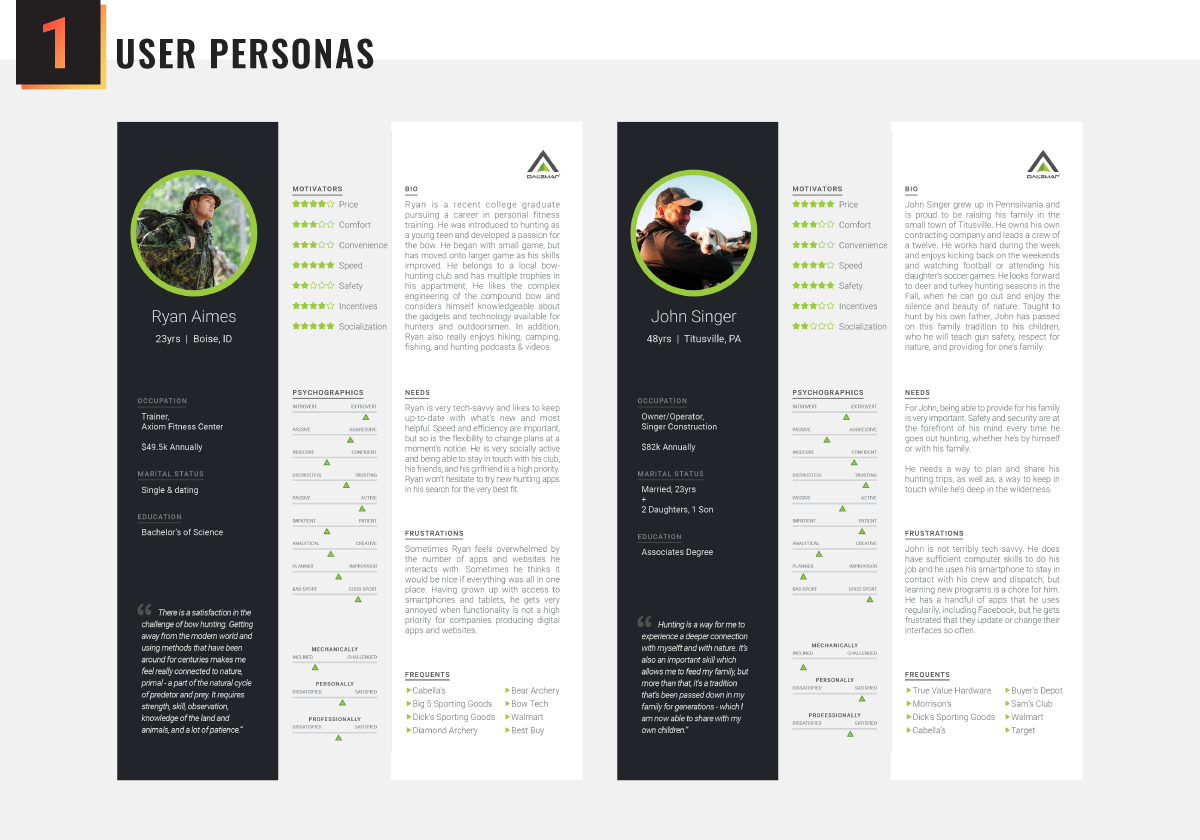
Utilizing personas that I had created earlier during my tenure at BaseMap, I began my research by doing a review of the target audience demographics and ethnographics focusing on two key audiences—hunters and fishermen.
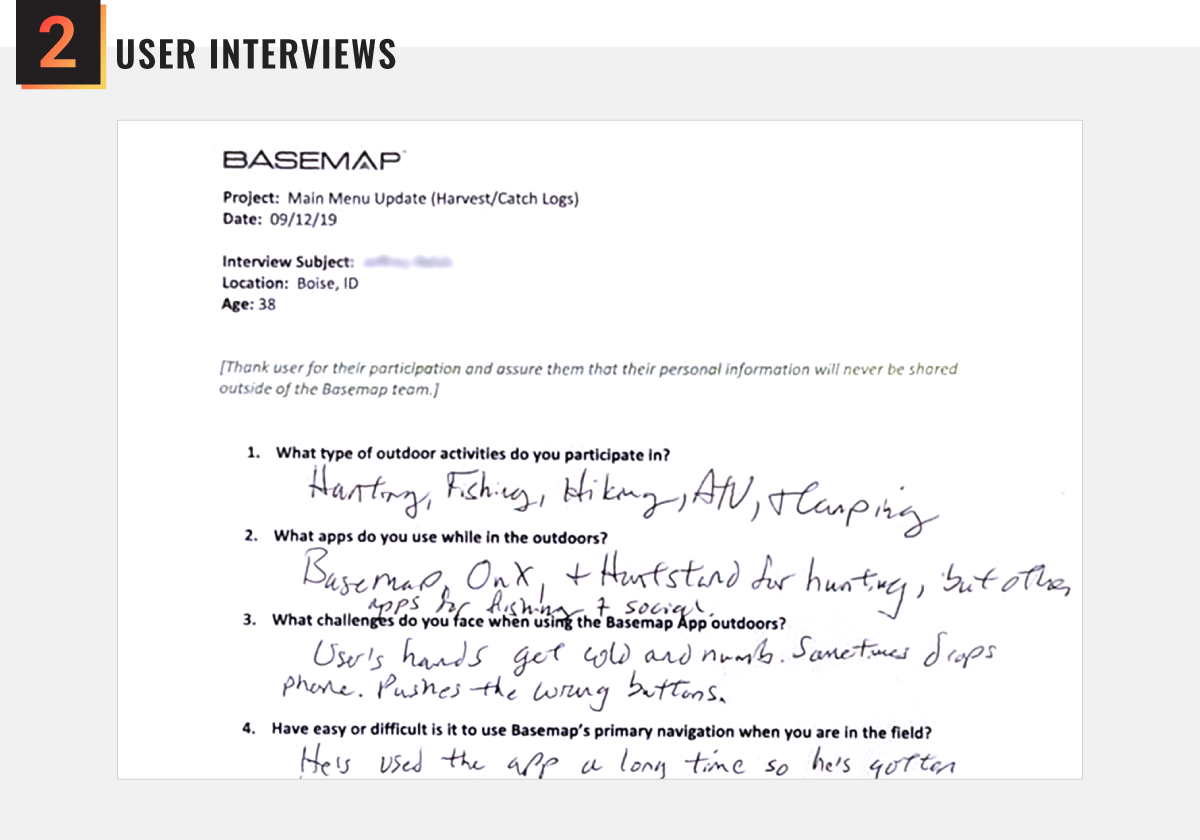
After reviewing the target personas, I reached out to our customer base to find volunteers for one-on-one interviews with users who best represented our target audience. Navigation was a common sore spot with users.
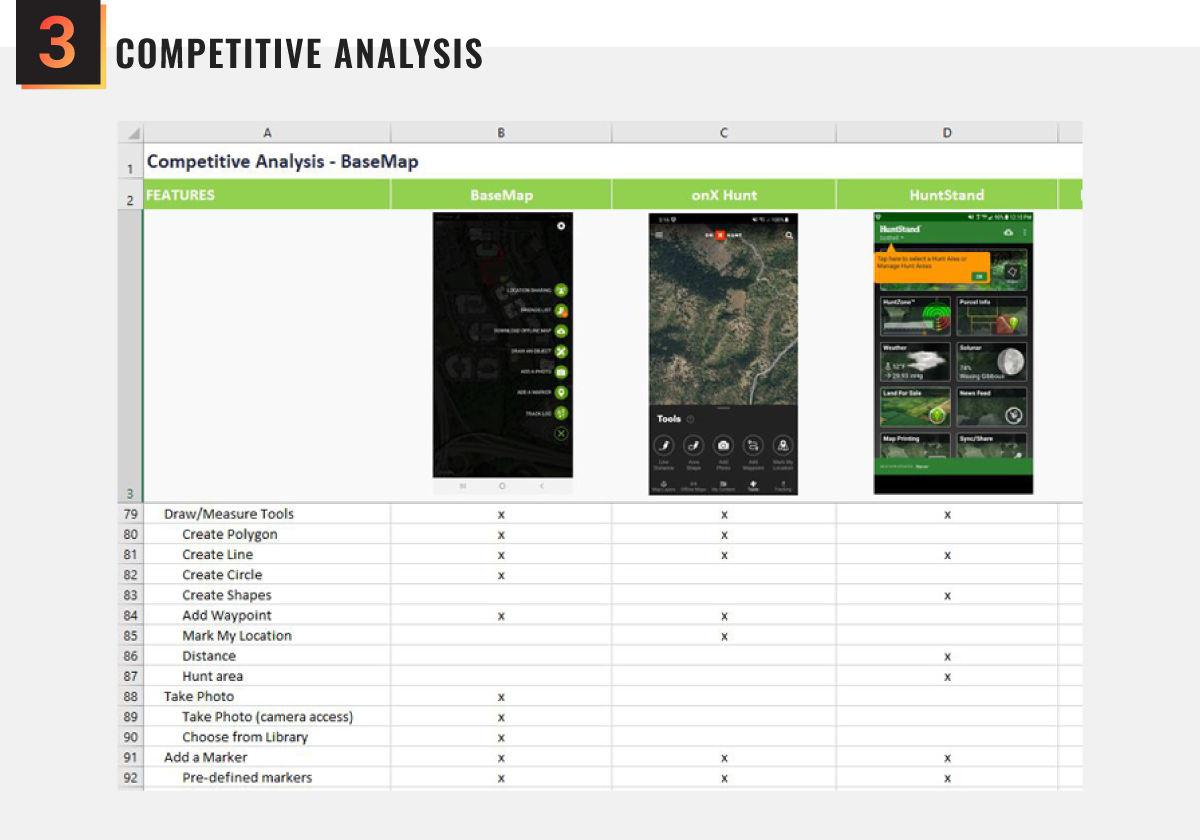
Using a list of competitor apps compiled from feedback received during user interviews and popular apps featured in two app stores, I documented each app's primary navigation—including interaction, features, and design.
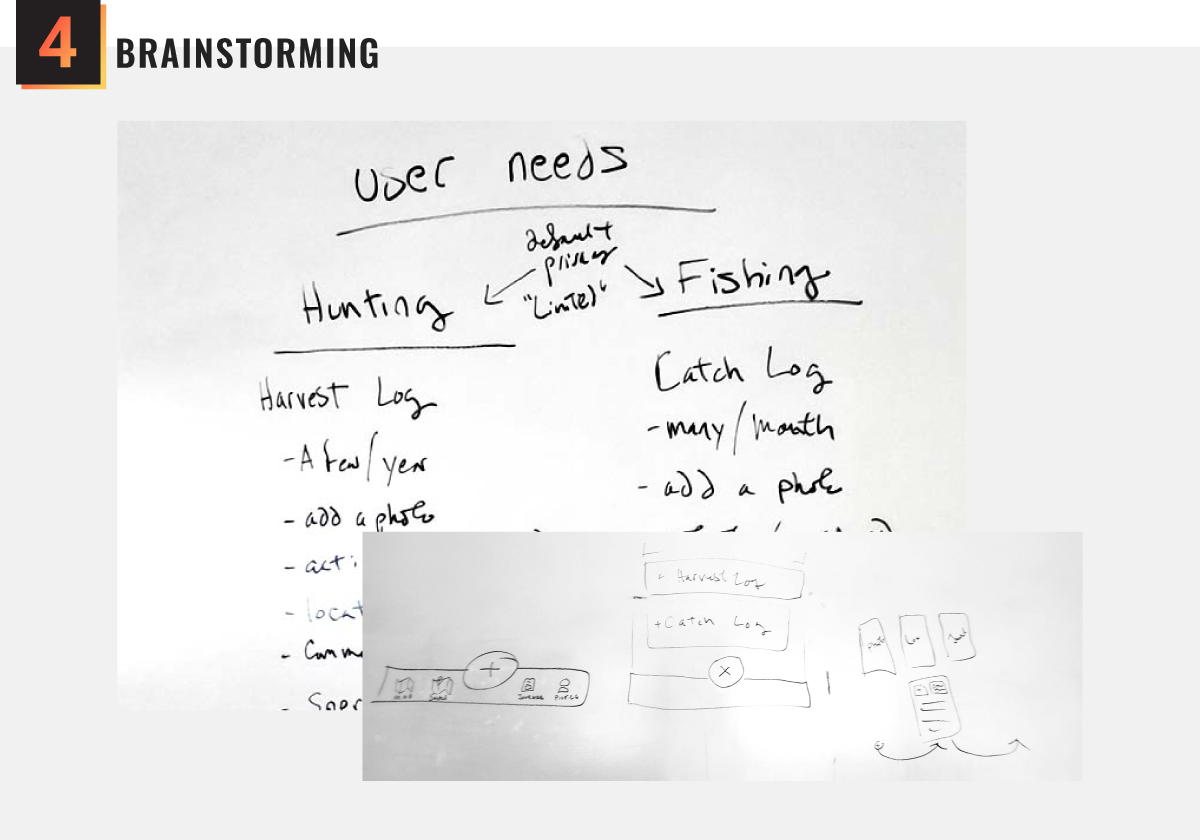
I began organizing my thoughts with a brainstorming session held with my CEO and a couple of engineers, rapidly exploring various concepts and ideas. This ultimately led to the ideas I would later explore through wireframing.
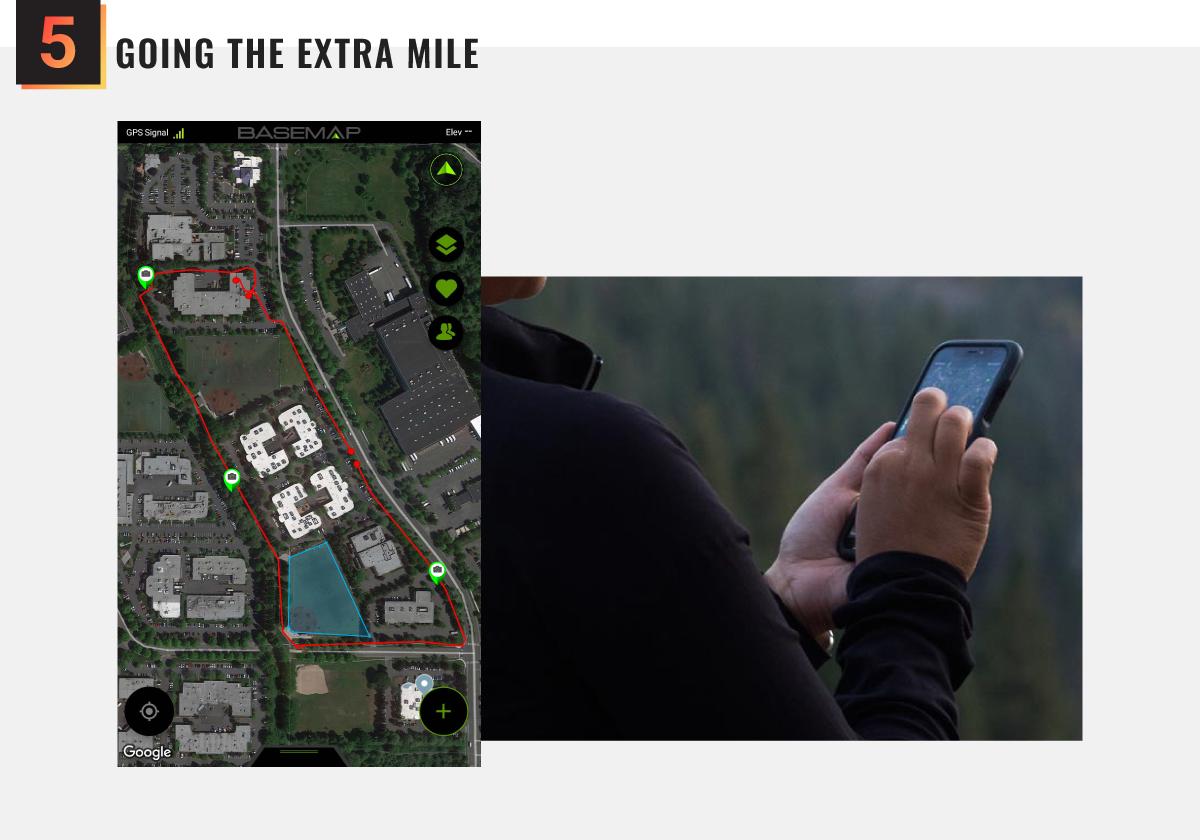
To get a first-hand understanding of the environmental challenges of using the app, I took to the outdoors in inclement weather to complete a few common user tasks in the app before moving into the final design phase.
Applying what we learned
While I can't control the weather, I could create navigation with larger touchpoints, visual hierarchy, and IoT functionality, to improve access to trusted tools and elevate new features.
Ideation & design concepts
› Sketching wireframes allowed for rapid ideation
› Sketching wireframes allowed for rapid ideation
As the first step in ideation, I took to the whiteboard to begin sketching possible concepts. This is a way for me to get non-viable ideas out of the way quickly.
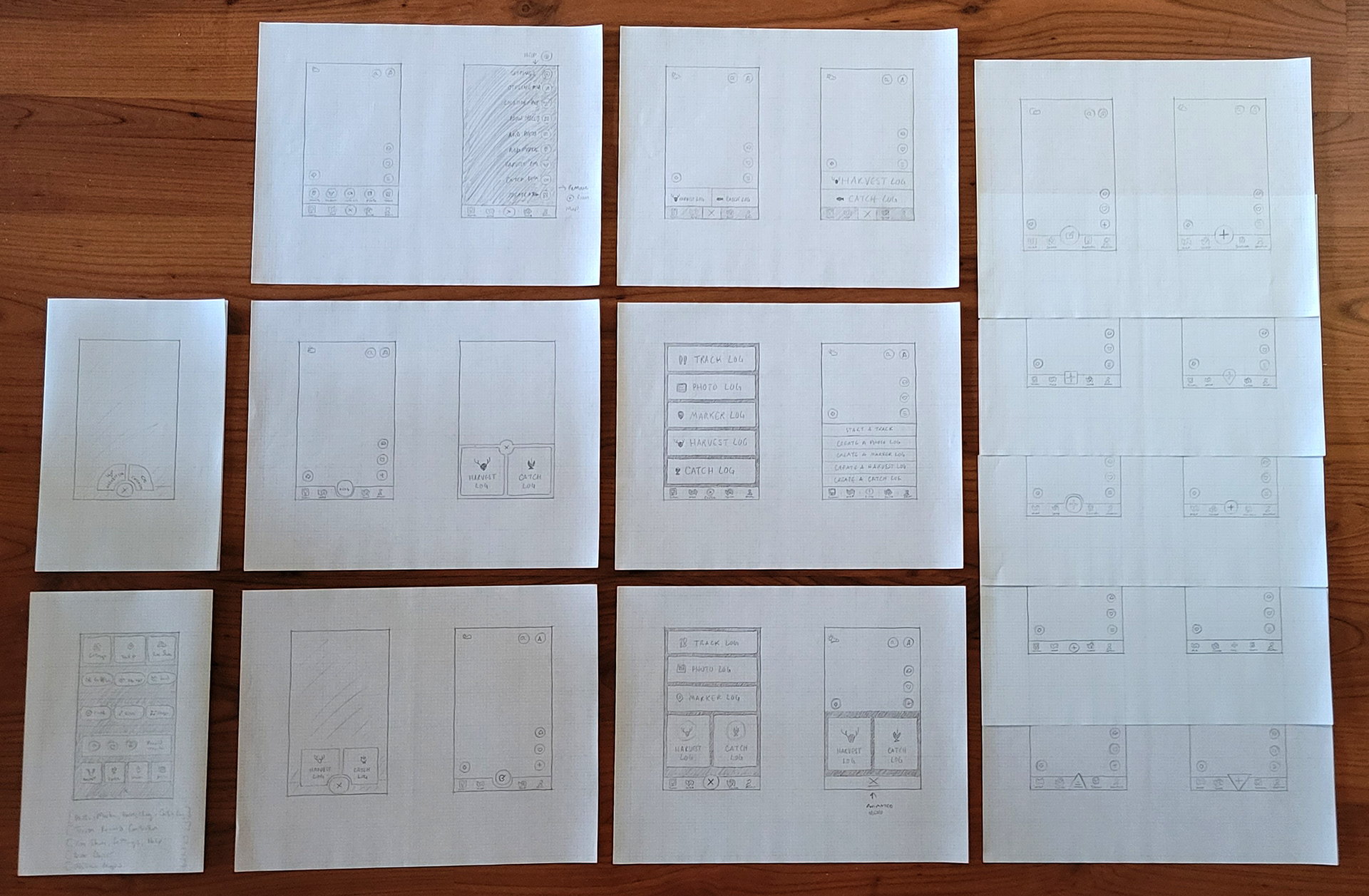
Once I had some solid ideas, I began sketching with pencil on graph paper to explore visual concepts and map out navigation flows. I was then able to quickly narrow down which sketches had potential and which to discard.
Hi-fis & Interactive Prototypes
› Making big changes required some convincing
› Making big changes required some convincing
Once I felt I had five really solid designs, I created lo-fi mockups and reviewed them with our CEO, Jeff, and our lead Android engineer. Jeff was hesitant to make any drastic changes, but I encouraged him to let the end-users weigh-in through user testing.
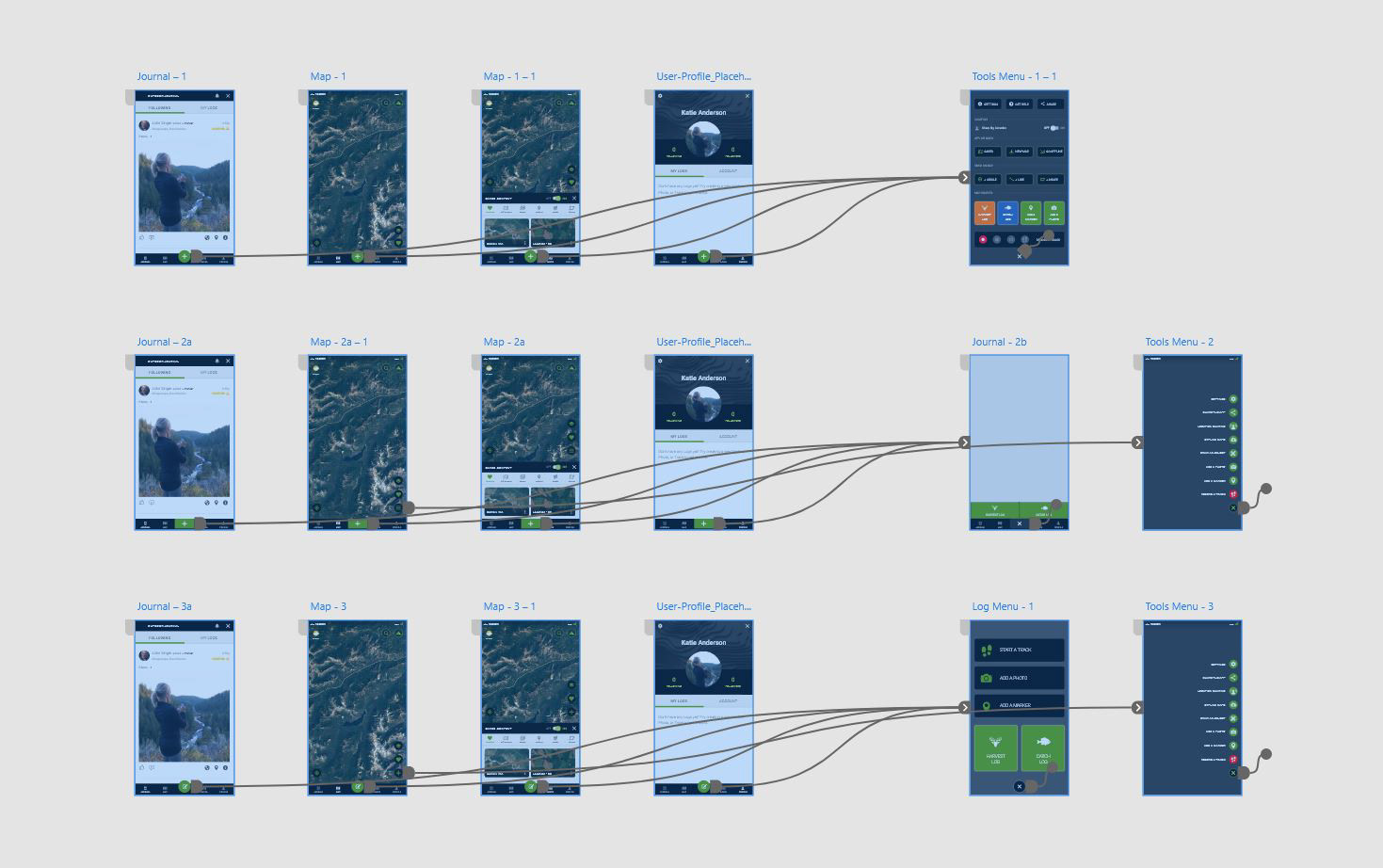
We identified the best two designs and compromised with a third design that used the existing navigation and separated the new features into secondary navigation. Using AdobeXD,
I then created three interactive prototypes for testing.
I then created three interactive prototypes for testing.
Giving our users a voice
User testing validated my hypothesis that minimizing the physical and cognitive friction of navigating the app would elevate new features and reduce human error.
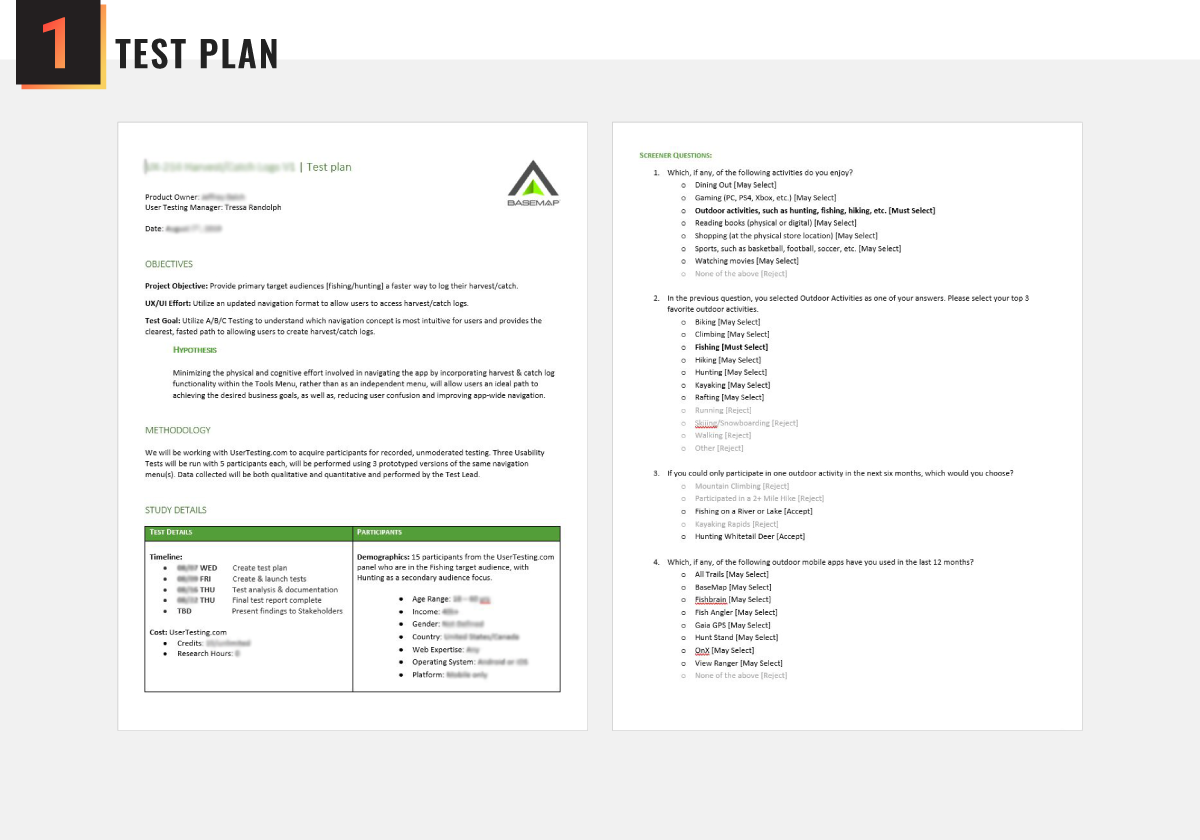
Creating a test plan is perhaps the most challenging part of user testing. I start with a solid hypothesis, study details, and timeline, then create the screening questionaire. Finally, I write, review, & revise the test questions to insure a lack of bias.
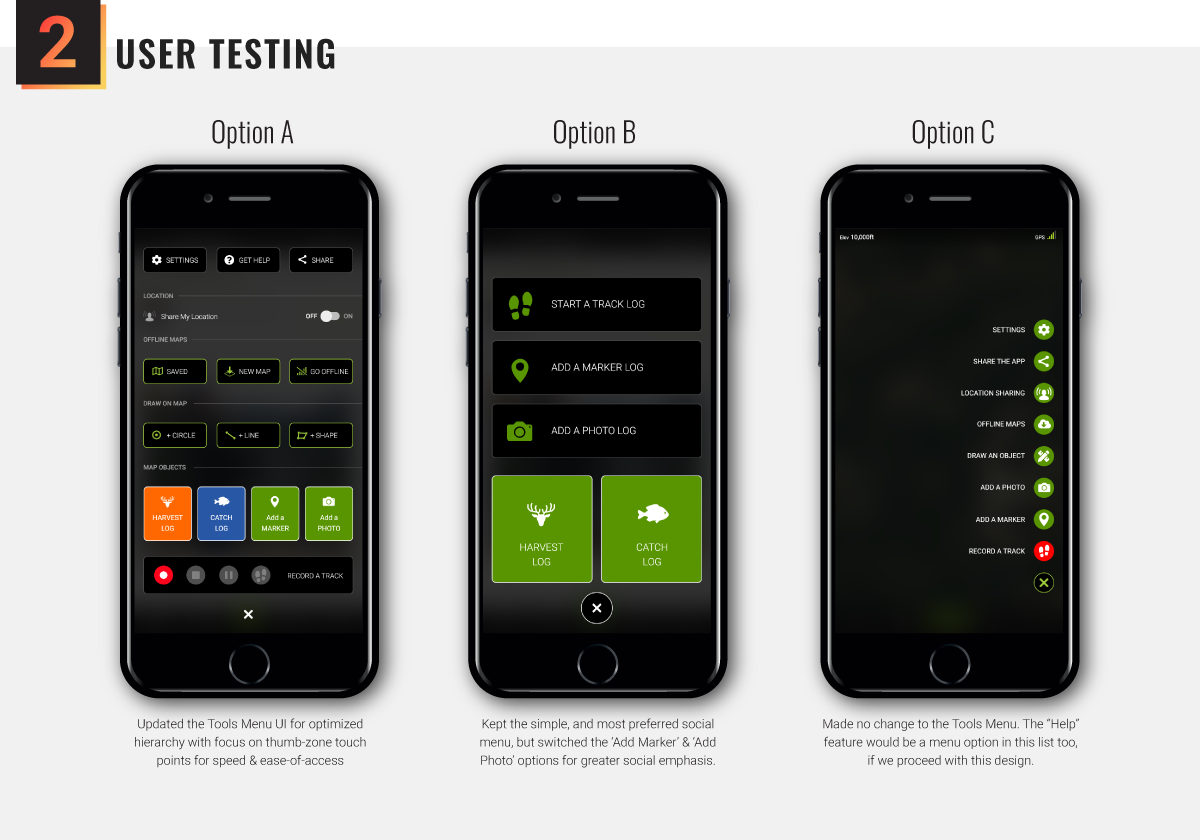
Because remote video user testing can result in first-seen/last-seen bias, three groups of five user testers were recruited through usertesting.com with each group reviewing the prototypes in a different order. (i.e. A-B-C, B-C-A, C-A-B.)
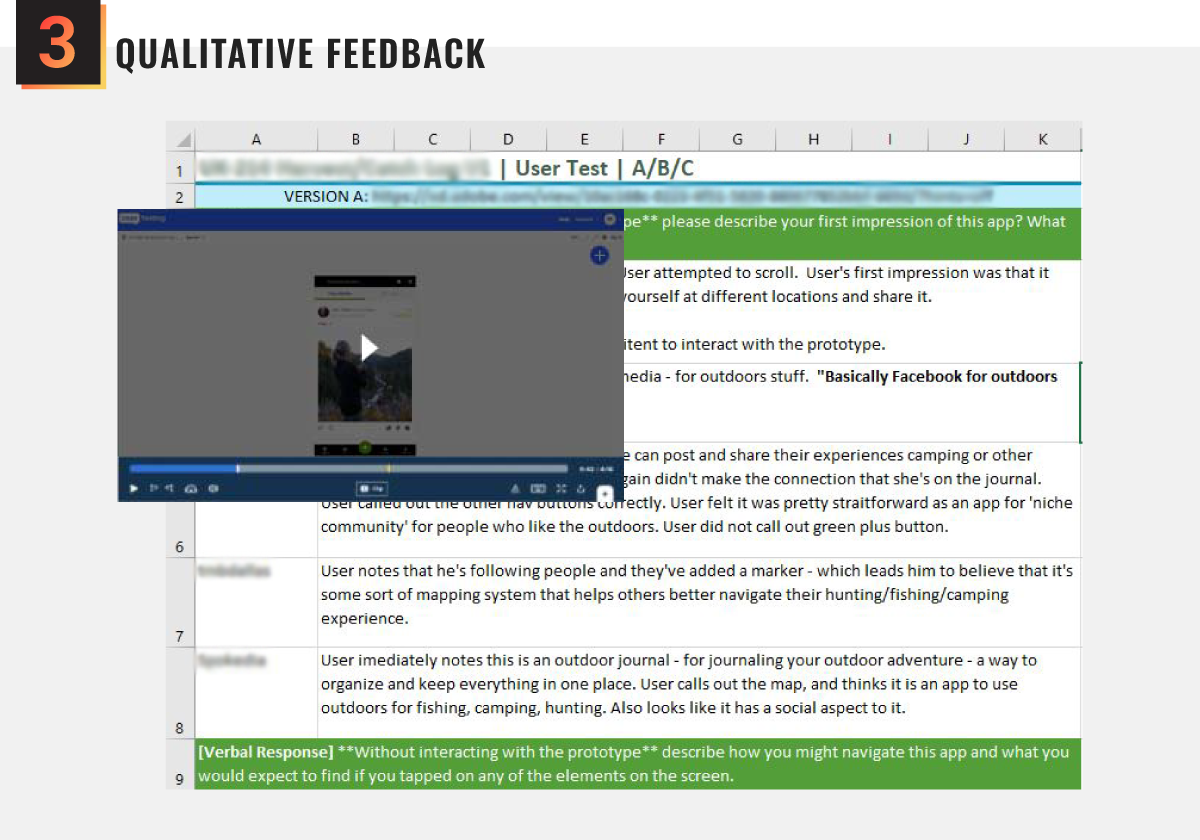
My favorite part of the process, I reviewed each user testing video and documented qualitative feedback—both to capture quotes representing users' experiences and/or frustrations, and as a way to verify users' test answers against their actions.
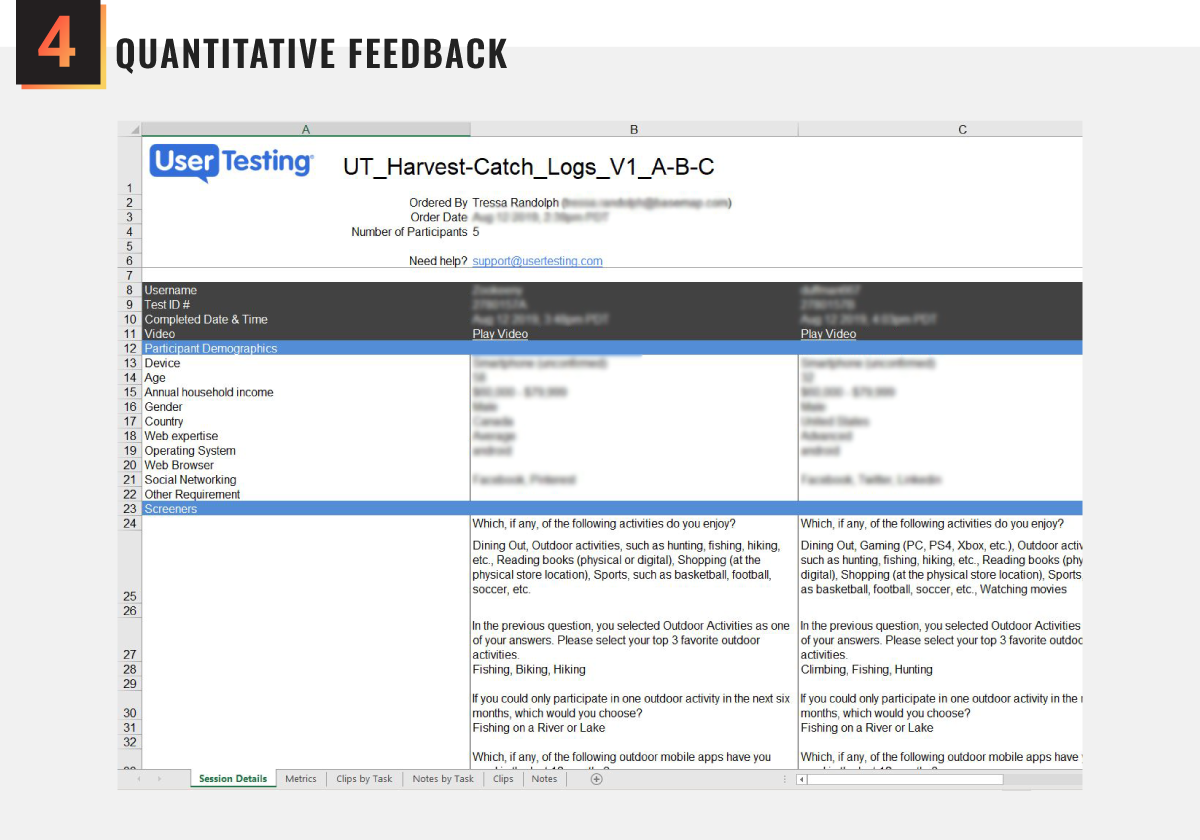
I reviewed the collated data from the multiple-choice, written-answer, and yes/no test questions on usertesting.com. I also updated the quantitative data to reflect the true answers of the two users who's test interactions did not match their statements.
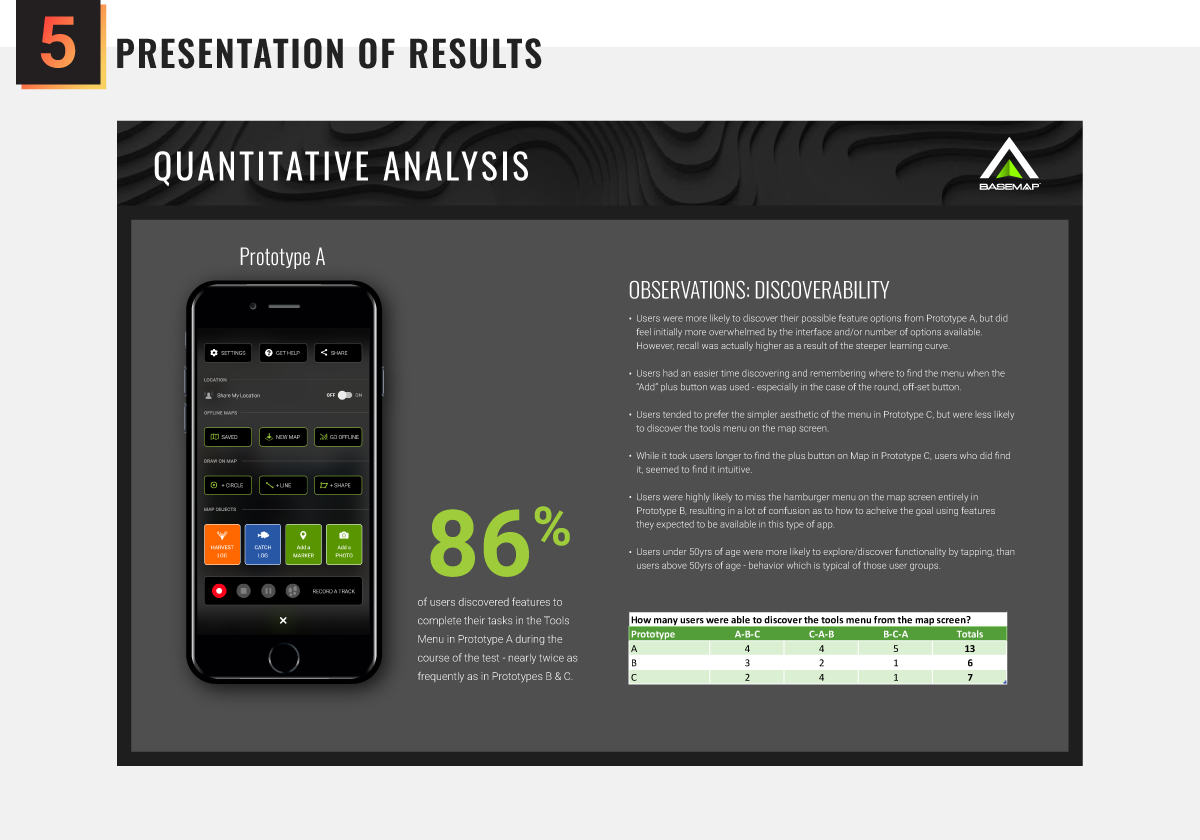
Finally, I put together a presentation for our CEO and stakeholders that included a review of the hypothesis, an overview of the test process, qualitative and quantitative feedback—including direct quotes, a risk assessment, and the final recommendation to move forward with Prototype A.
Implementing the final concept
Working closely with both our iOS and Android engineering teams, I was able to beta-test on both device types before giving approval to upload the apps to their respective app stores.
development & rollout
› My engineers provided valuable insights
› My engineers provided valuable insights
One of the many reasons I enjoy working closely with engineers, is because they can often provide insight and suggestions for improvements. While reviewing my proposed designs, my Lead iOS Engineer advised that there were some small pre-existing iOS elements we could reuse instead of creating new assets.
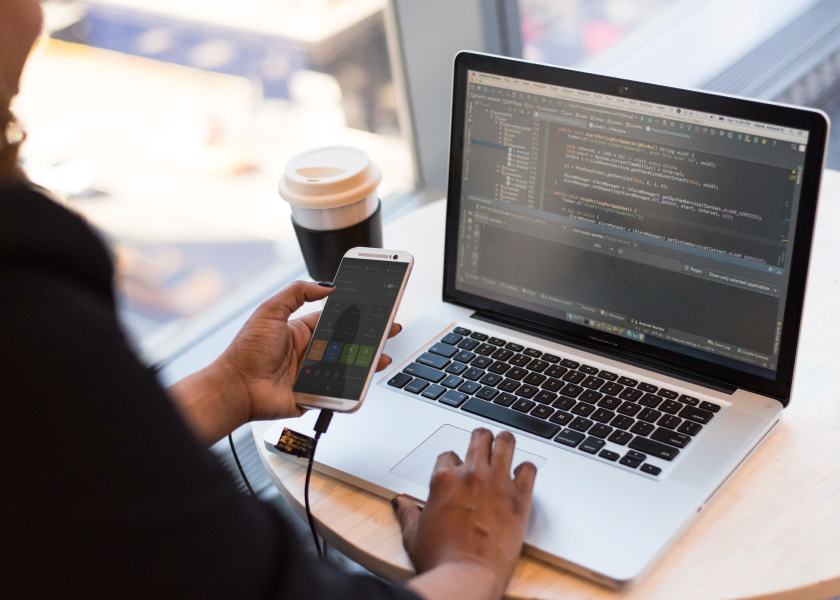
Additionally, as we did not have any kind of formal design system in place (yet.) I created a spreadsheet for the engineering team with detailed notes on interactions and links to assets. I was then able to test and approve an unreleased version of the app on both iOS and Android before it was uploaded to the app store.
The final product
As the first of our product updates to undergo user testing, I was excited to see it go live. While we didn't have any analytics tracking in place, user feedback was largely positive.
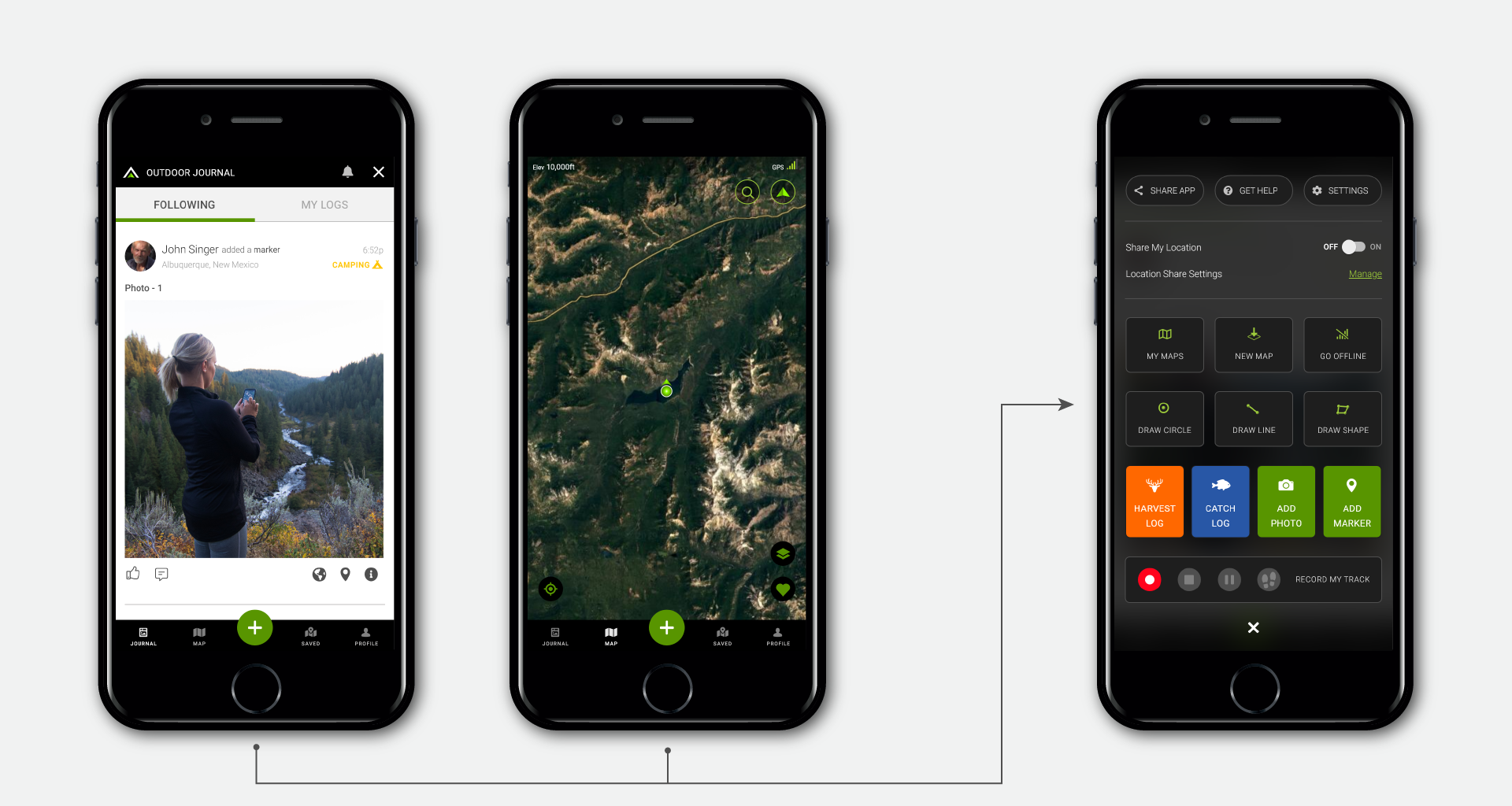
The updated app provided a bottom-navigation bar for quick entry into the four key features of the app, the live map, saved maps, user profile, and the newest section of the app—a social-media style journal. The center/plus button – in easy reach of the user's thumb – allowed the user to pull up the redesigned menu that would allow users to quickly perform actions such as interacting with the map, adding posts to their journal, recording a track, & more.
This was BaseMap's first foray into usability testing. While I knew there were some nerves over the cost of investing in a platform like usertesting.com, the stakeholders at BaseMap were deeply impressed with the depth of user feedback we were able to glean in such a short period of time. Unfortunately, due to the speed with which we were growing, it was difficult to define quantitatively what impact this change had to the business. However, feedback directly from our app's subscribers suggested that our changes were a big hit.
Key Learnings
It's difficult to be the only voice in a Start-up championing UX Best Practices and the value of User Testing. But the fight is always, always, always, worth it!